
On the web, people don’t read pages first, instead they scan the pages. If you have to make them read what you write, it’s very important that you lock the eye-balls to your pages. Images added to be post for illustration can be the ‘glue’ that would make a visitor stay a lot more on your page. 🙂
Last week I had been asked where I get the images to illustrate my posts. There are lots of images on the web, but getting copyright free, quality images needs some research. I spend about 10% of my time to make a post, for image-hunting alone and some more time to edit it. Following is a list of places where I start with.
Free Quality Image Galleries
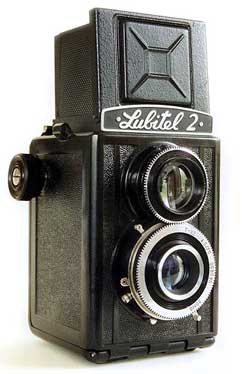 Stock Exchange: I had been using SXC from my Blogger days both for blog and other design works. Images are high quality and the search is pretty accurate. All images are bounded by the standard restrictions and the owner has to be notified for some images. You will need a free account to download any images. Images in SXC are often made with an illustrative hook in mind, so it’s the best place to find images for blogs. (The image in this post was from SXC!)
Flickr: This is a store of all kinds of images from heavily photoshoped cool ones to usual pictures from daily life. I use the advanced search of Flickr where we can specify to show just those images licensed under the creative commons. If you are on a look for images from daily life, like trains, or people or signs, turn to Flickr.
But often Flickr users prefer to get attributed for using their images, so you will have to add Image credits with every other post. You need a free Flickr account.
Google Image Search: Google has done a good job in organizing the images on the web. Google image search is awesome place to find images, but there is no guarantee on its quality or copyright, so it’s last on my list. Make sure that you visit the landing page and confirm that the image is free to use before you add it on yours.
You will probably find your images in any of these places, but still if you can’t find the best one, here is an awesome list of both free and premium image galleries. Check it out.
Don’t forget to save the images that you find while casual browsing for later use. I have a vast collection of images offline which I have collected over time. Make one yourself.
Always read the terms and conditions before you use images. Some images are free to use, but not free to edit, some need attribution, play it safe and don’t get caught 😛
Reader Suggested Sites
Leave your favorite stock photo site in the comments and I will add them up here…
- Getty Images (See Comment. Thanks Anand)
- Compfight (See Comment. Thanks Cheth)
- Ginipic (Its a desktop application. See Comment. Thanks Nihar)
- Google Similar Images (via DollarShower)
- Finding pictures on the basis of its main colors (Thanks Gautam)
Thank you all for the participation 🙂

I am a WordPress product developer and creator of Image Attributes Pro. I am passionate about solving problems and travelling the world.





Yes there you are. I was just about to ask you from where u get the right images for your post. But you replied me with a good post with the answer to my question. Thanks for that. Good work!.
lol, great men think alike… Kudos.. 🙂
gettyimages is another source I use. They recently tied up with flickr to give away all the CC license images. you might want to update the post with this info.
I have added your suggestion in the post. Infact I started a New section to add user suggestions. Thanks for the idea 🙂
Thanks buddy !!!
Both for the Article and the credits ! 😀
Cheers !
You are the one who triggered it, so you are the one who shoudl get it all 🙂
And Arun should I give credits to them [Flickr, Stock Exchange..] or to the uploader of that photo in my Post ?
it depends on the image, I have mentioned that in the post itself. Most flickr users will need credits but sxc is more open 🙂
This is a quite useful post. I am also in the look out of some plugins to directly search and include the images 🙂
PS:- I liked that camera pic
But I prefer the manual way of adding images. Though it takes a lot of time to find the right one, its fun to do that. But ofcourse, at higher levels of blog when time becomes a luxury, that plugin would be sweet 🙂
For the Revolution/StudioPress themes that we use, how do you manage to create appropriately-sized thumbnail images for display on the main blog page? Is there some sort of program, or better yet, WordPress plugin you suggest?
I think you have to resize it with an image editor buddy! I haven’t heard about any plugins ! 🙂
Cheers
I make the 70×70 image myself. That doesnt mean I make the icons, I mean those are custom made separate images, no plugin or code 🙂 As pradeep said, I rezise them with Photoshop. Those are displayed using the custom field, hope you know that. Else, tell me.. okies..?
Cheers…
Good resource Arun,SXC is a really a treasure for those who are in search for good quality images.
Yeah, SXC is the best in terms of quality and quantity. And their license is amazing too. Kudos to them 🙂
Another useful site is http://compfight.com/ where we can search flickr easily 🙂
I have added you up to the list, thanks for sharing 🙂
Thanks for the post. I will check stock exchange.
BTW, 2 days back i installed ginipic (which is also image search app). Have you tried it? it is also good.
It looks cool, I added you to the list. thanks for the heads up 🙂
Update: (For all those who have subscribed to comments via email)
Four new sites where you can get quality images has been added to the list, Check it out.
Thanks to all the contributors 🙂
Hey I found something really interesting.Searching images on flickr on the basis on colors.Wrote an article on it at ma new blog.
Hmm, saw the post.. Thanks for coming in bro.. will add it up here 🙂
This is a sweet post. Thanks. I will keep this in mind so I can have more of a variety than just where I get my images normally (Here is a reference to the site in my blog.).